Bilingual subtitles
Bilingual subtitles for any video: the spoken language on top, its translation underneath, burned into the picture or saved as a subtitle file.
- Two languages on screen
- Preview is the export
- SRT, VTT or burned-in MP4
Real exports. Tap a style.
What bilingual subtitles are
Bilingual subtitles show two languages at the same moment — usually the language spoken in the video and a translation of it. SubtitlePop writes the first from the audio and the second with the built-in subtitle translator, and keeps both on the same timing.
Translating uses about half of the video’s speaking time from your minutes for each language, so a 10-minute video takes about 5 minutes. The original captions are charged once, like any other video.
How to make bilingual subtitles
Upload the video
The speech becomes captions in the language spoken in the video.
Translate the captions
Open Translate in the editor’s top bar, pick the second language and select Translate captions.
Keep “Both languages” and export
The preview shows the original with the translation beneath it. Export an MP4 with both burned in, or a subtitle file with two lines per caption.
How bilingual subtitles look on the video
The original caption keeps the style you chose — including word-by-word highlight — and the translation sits directly under it in a smaller size, in white with the same outline. When a caption is placed low on the frame, both lines move up together so nothing is cut off.
The preview in the editor is drawn by the same renderer that writes the exported MP4, so the two languages appear in the file exactly where you saw them.
Bilingual subtitle files: SRT and VTT with two lines
With “Both languages” selected, each caption in the exported SRT or VTT file has the original on the first line and the translation on the second, under one shared time range:
1
00:00:00,750 --> 00:00:02,670
However, due to the slow
Sin embargo, debido a la lentitud
Switch to “Translation only” or “Original only” to export a single-language file from the same project.
Who uses dual-language subtitles
- Language teachers and learners — the spoken language and the viewer’s language on screen together.
- Creators with a mixed audience — one upload that reads for two groups of viewers.
- Teams and events — talks, training and announcements for people who share a room but not a first language.
Spoken languages and file types
| Supported | |
|---|---|
| Spoken languages | English, Spanish, Portuguese, French, German, Italian, Dutch, Polish, Turkish, Russian, Ukrainian, Arabic, Hindi, Indonesian, Vietnamese, Thai, Chinese, Japanese, Korean and more — or “Detect language” |
| Video | MP4, MOV, M4V, WebM, MKV |
| Audio | MP3, WAV, M4A, AAC, OGG |
| Subtitle exports | SRT, WebVTT, styled ASS, plain text with or without timestamps |
| Video export | MP4 with captions burned in — 720p on the free plan, up to 1080p on Starter and 4K on Pro |
Bilingual subtitles on the free plan and paid plans
Starter is $7.99 a month for 60 minutes and exports without a watermark. A $5.99 pack adds 40 minutes that never expire.
Caption styles that work with two languages
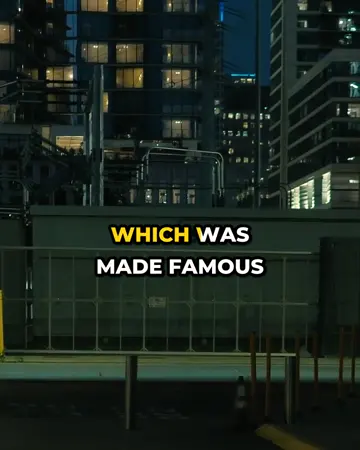
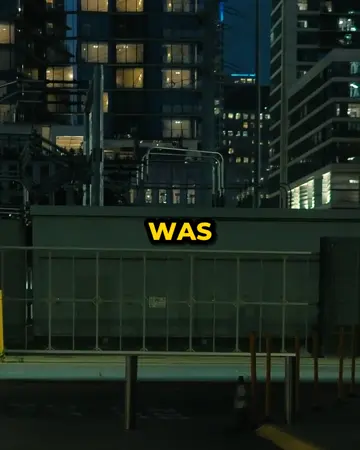
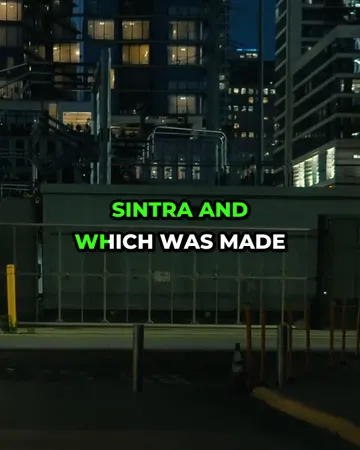
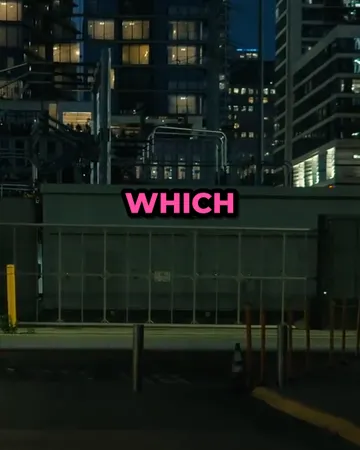
Pick a look, then change the size, position and line count. The preview is drawn by the same renderer that makes your export.








Bilingual subtitles FAQ
How do I add bilingual subtitles to a video?+
Upload the video, translate the captions into the second language in the editor, keep “Both languages” selected, and export. The MP4 has both languages burned in.
Which language pairs work for bilingual subtitles?+
The first language is the one spoken in the video; the second can be any of English, Spanish, Portuguese, French, German, Italian, Dutch, Polish, Turkish, Russian, Ukrainian, Indonesian, Vietnamese, Arabic, Hindi, Thai, Chinese (Simplified), Japanese, Korean.
Can bilingual subtitles be exported as an SRT file?+
An SRT or VTT file exported with “Both languages” selected carries the original on the first line of each caption and the translation on the second.
Where does the second language appear on the screen?+
The translation is placed directly under the original caption, smaller and in white, and both lines move with the Position setting.
Can I change the wording of either language?+
Both lines are editable: the original caption and its translation each have their own text box in the editor.
How many minutes do bilingual subtitles use?+
Translating uses about half of the video’s speaking time from your minutes for each language, so a 10-minute video takes about 5 minutes, on top of the minutes for the original captions.
Related subtitle tools
Subtitle translator
Subtitle translator for videos: transcribe the speech, translate the subtitles into 19 languages with timing unchanged, edit any line, export SRT or MP4.
Burn subtitles into video
Burn subtitles into video online: generate captions, pick a style, and download an MP4 with hardcoded subtitles. No editor needed. Free at 720p.
Caption styles
Twelve caption styles for TikTok, Reels and Shorts: word highlight, word pop, clean outline, boxes, neon, cinema and more. Preview each on your own video.